Functions in Bash Scripting
Basic of Functions
| Functions |
| Functions make scripts easier to maintain. Basically it breaks up the program into smaller pieces. A function performs an action defined by you, and it can return a value if you wish. |
| Syntax |
| function function_name { command… } |
| OR |
| function_name () { command… } This second form will cheer the hearts of C programmers (and is more portable). We will also process with second form in our examples. function_name () { |
| Functions are called, triggered, simply by invoking their names.
A function call is equivalent to a command. |
Operating on a file list contained in a variable
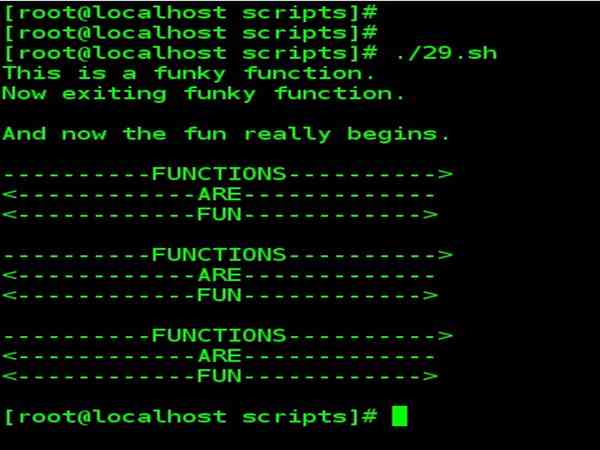
Fileinfo.sh : operating on a file list contained in a variable: Example
#!/bin/bash
JUST_A_SECOND=1
funky () {
echo "This is a funky function."
echo "Now exiting funky function.“
}
# Function declaration must precede call.
fun () {
# A somewhat more complex function.
 i=0
REPEATS=20
echo
echo "And now the fun really begins."
echo
sleep $JUST_A_SECOND
# Hey, wait a second!
while [ $i -lt $REPEATS ]
 do
echo "----------FUNCTIONS---------->"
echo "<------------ARE-------------"
echo "<------------FUN------------>"
 echo

let “i +=1"
Done
}
# Now, call the functions.

funky
fun
|
|
| The function definition must precede the first call to it. There is no method of “declaring” the function, as, for example, in C. | |

Functions may not be empty!
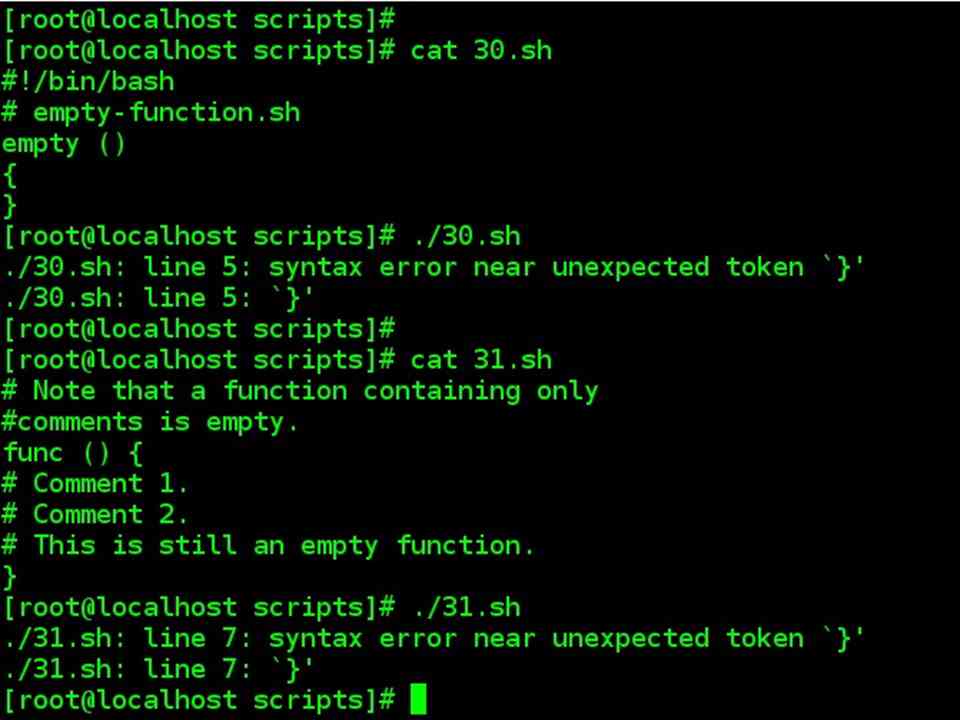
| Functions may not be empty! | |
| empty-function.sh | After executing script |
| #!/bin/bash
# empty-function.sh empty () { } |
Syntax error near unexpected token `}‘
`}‘ |
| # Note that a function containing only #comments is empty.
func () { # Comment 1. # Comment 2. # This is still an empty function. } |
Result in same error as above |
Functions can be nested, but not useful
| Functions can be nested, but not useful | |
| nested-function.sh | After executing script |
| f1 ()
{ f2 () # nested { echo “Function \”f2\”, inside \”f1\”.” } } f2 # Gives an error message. |
f2: command not found |
| f1 ()
{ f2 () # nested { echo “Function \”f2\”, inside \”f1\”.” } } f1 # Does nothing, since calling “f1” does not automatically call “f2”. f2 # Now, it’s all right to call “f2”, # since its definition has been made visible by calling “f1”. |
Function “f2”, inside “f1”. |
Complex functions and function complexities
| Complex functions and function complexities | |
| Functions may process arguments passed to them and return an exit status to the script for further processing.
function_name $arg1 $arg2 ……$argN The function refers to the passed arguments by position (as if they were positional parameters), that is, $1, $2, and so forth. |
|
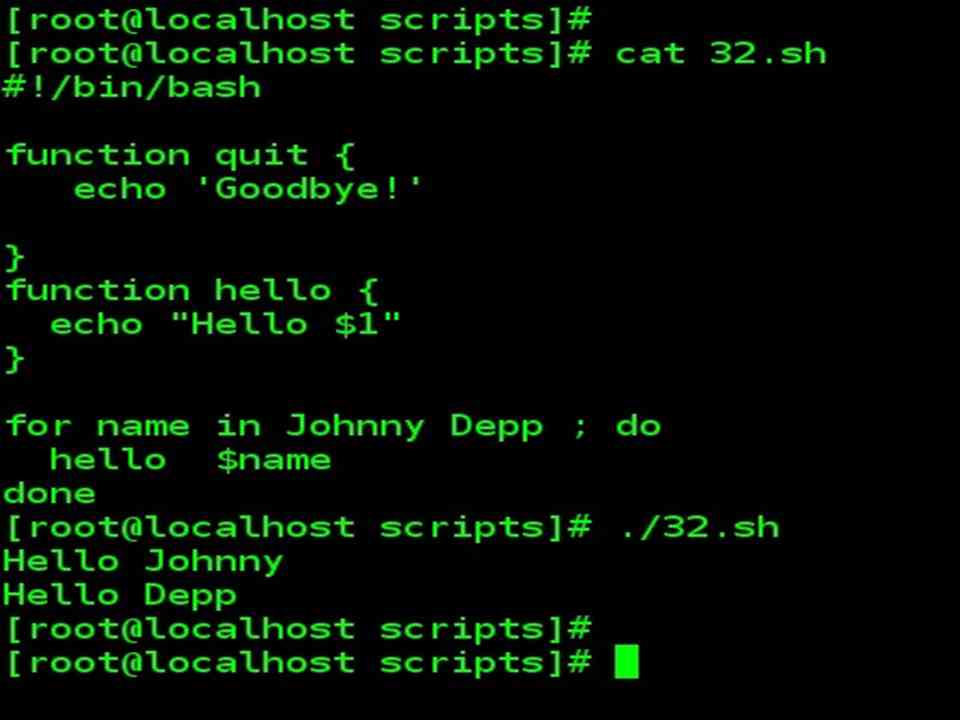
| Script | Output |
| #!/bin/bash
function quit { echo ‘Goodbye!’
} function hello { echo “Hello $1” }
for name in Johnny Depp ; do hello $name done |
Hello Johnny
Hello Depp Goodbye! |
Complex functions and function complexities
| Complex functions and function complexities | |
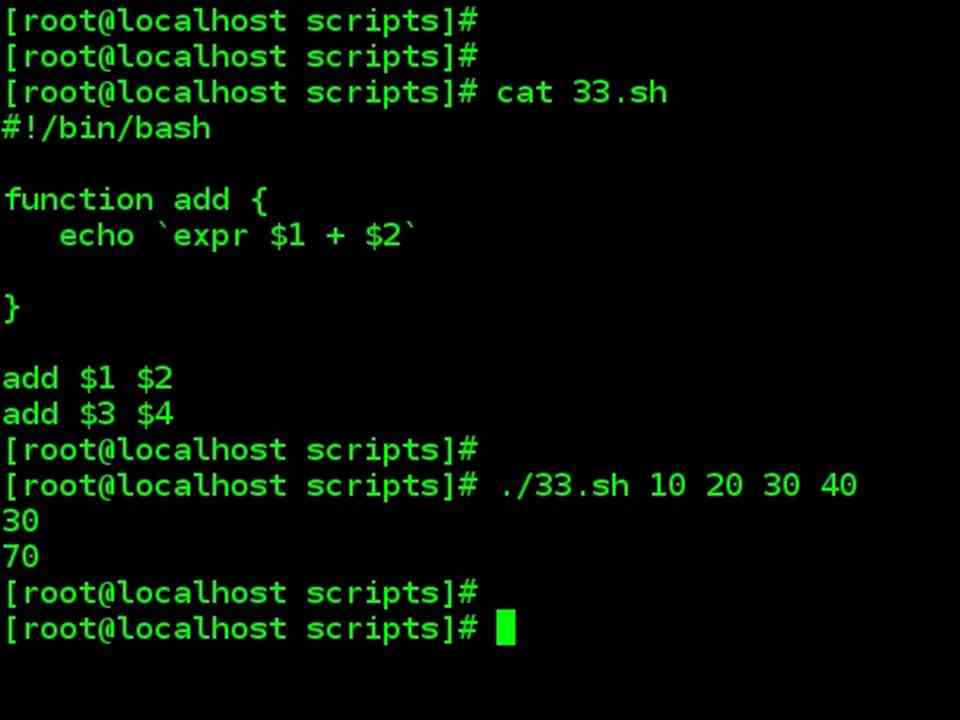
| Function processing command arguments, passed while executing | |
| c-arg.sh | How to execute this script |
| #!/bin/bash
function add { echo `expr $1 + $2`
} add $1 $2 add $3 $4 |
./c-arg.sh 23 42 60 29 |
| Output | |
| 65
89 |
|
Function Exit Status & Return Value
| Function Exit Status & Return Value |
| Exit Status |
| Functions return a value, called an exit status.
This is analogous to the exit status returned by a command. The exit status may be explicitly specified by a return statement, otherwise, it is the exit status of the last command in the function (0 if successful, and a non-zero error code if not). This exit status may be used in the script by referencing it as $?. This mechanism effectively permits script functions to have a “return value” similar to C functions. |
| Return Value |
| Terminates a function. A return command optionally takes an integer argument, which is returned to the calling script as the “exit status” of the function, and this exit status is assigned to the variable $?. |
| Example |
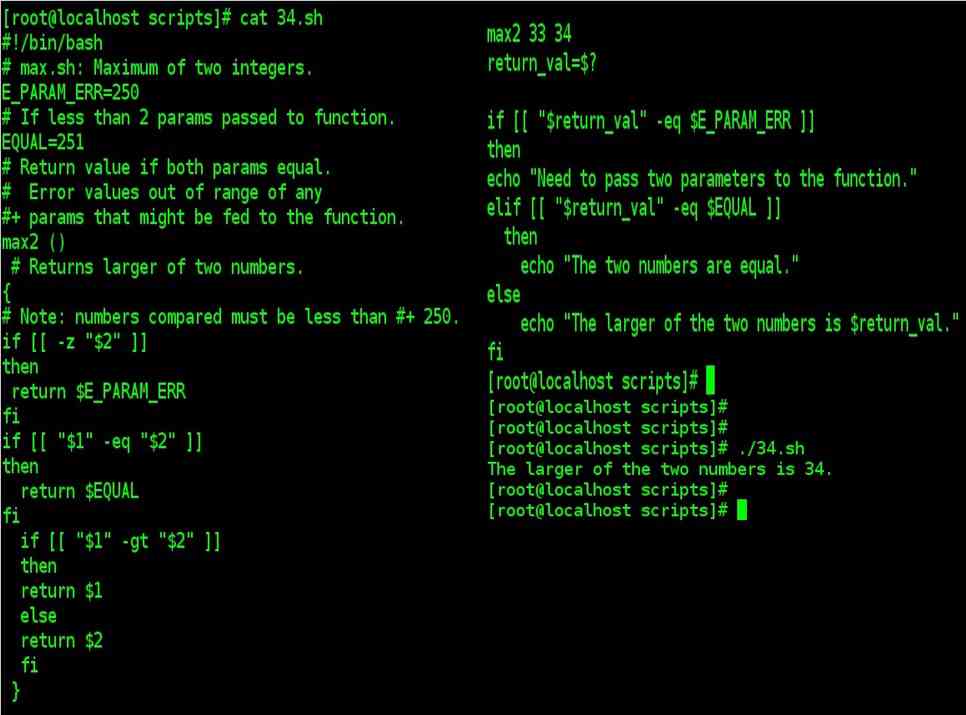
#!/bin/bash
# max.sh: Maximum of two integers.
E_PARAM_ERR=250
# If less than 2 params passed to function.
EQUAL=251
# Return value if both params equal.
#  Error values out of range of any
#+ params that might be fed to the function.
max2 ()
 # Returns larger of two numbers.
{
# Note: numbers compared must be less than #+ 250.
if [[ -z "$2" ]]
then
 return $E_PARAM_ERR
fi
if [["$1" -eq "$2" ]]
then
  return $EQUAL
else
  if [["$1" -gt "$2" ]]
  then
else
  if [[ "$1" -gt "$2" ]]
  then
    return $1
  else
    return $2
  fi
fi
}
max2 33 34
return_val=$?

if [[ "$return_val" -eq $E_PARAM_ERR ]]
then
echo "Need to pass two parameters to the function."
elif [[ "$return_val" -eq $EQUAL ]]
  then
    echo "The two numbers are equal."
else
    echo "The larger of the two numbers is $return_val."
fi
|