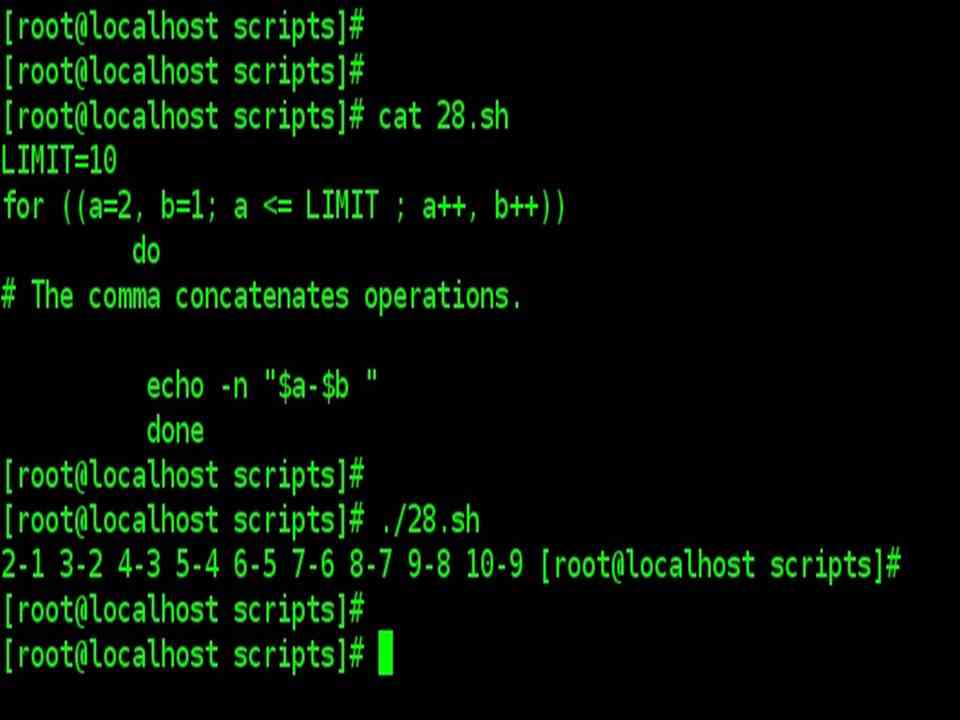
Looping: For
For Loop
| for loop |
| Given below is the basic looping construct. |
| for argument in [list] do command(s)… done |
| During each pass through the loop, argument takes on the value of each successive variable in the list. |
| for arg in “$var1” “$var2” “$var3” … “$varN“
# In pass 1 of the loop, arg = $var1 # In pass 2 of the loop, arg = $var2 # In pass 3 of the loop, arg = $var3 # … # In pass N of the loop, arg = $varN # Arguments in [list] quoted to prevent possible word splitting. |
| The argument list may contain wild cards. |
| If do is on the same line as for, there needs to be a semicolon after list.
for argument in [list] ; do |
Simple for loops: Example
| Simple for loops: Example |
| Script |
| for planet in Mercury Venus Earth Mars Jupiter Saturn Uranus Neptune Pluto
do echo $planet # Each planet on a separate line done |
| Output |
| Mercury
Venus Earth Mars Jupiter Saturn Uranus Neptune Pluto |

| Example |
| Script |
| for planet in “Mercury Venus Earth Mars Jupiter Saturn Uranus Neptune Pluto”
# All planets on same line. # Entire ‘list’ enclosed in quotes creates a single variable. # Why? Whitespace incorporated into the variable. # Otherwise planet would be treated as a single variable do echo $planet done |
| Output |
| Mercury Venus Earth Mars Jupiter Saturn Uranus Neptune Pluto |
| Note: Each [list] element may contain multiple parameters. This is useful when processing
parameters in groups. |
| In such cases, use the set command to force the parsing of each [list] element and assignment of each component to the positional parameters. |
for loop with two parameters in each [list] element
| for loop with two parameters in each [list] element: Example |
| Script |
| for planet in “Mercury 36” “Venus 67” “Earth 93” “Mars 142” “Jupiter 483“
do set — $planet # Parses variable “planet” and sets positional parameters. # The “–” prevents nasty surprises if $planet is null or begins with a dash. # May need to save original positional parameters, since they get overwritten. # One way of doing this is to use an array, # original_params=(“$@”) echo “$1 $2,000,000 miles from the sun” done |
| Output |
| Mercury 36,000,000 miles from the sun
Venus 67,000,000 miles from the sun Earth 93,000,000 miles from the sun Mars 142,000,000 miles from the sun Jupiter 483,000,000 miles from the sun |
![for loop with two parameters in each [list] element: Example](https://pythonbaba.com/wp-content/uploads/2020/01/123.jpg)
Operating on a file list contained in a variable
| Fileinfo.sh : operating on a file list contained in a variable: Example |
| Script |
| #!/bin/bash
#fileinfo.sh FILES=”/usr/sbin/accept /usr/sbin/pwck /usr/sbin/chroot /usr/bin/fakefile /sbin/badblocks/ sbin/ypbind” # List of files you are curious about. # Threw in a dummy file, /usr/bin/fakefile. for file in $FILES do if [ ! -e “$file” ] # Check if file exists. then echo “$file does not exist.“ fi ls -l $file done |
| Output |
| lrwxrwxrwx 1 root root 10 Feb 5 14:30 /usr/sbin/accept -> cupsaccept
–rwxr–xr-x. 1 root root 42416 Dec 7 2011 /usr/sbin/pwck –rwxr–xr-x 1 root root 31776 Jan 23 2013 /usr/sbin/chroot /usr/bin/fakefile does not exist. –rwxr–xr-x 1 root root 29752 Jun 25 2012 /sbin/badblocks /sbin/ypbind does not exist. |

Operating on all files in the current directory using for loop
| Operating on all files in the current directory using for loop |
| Script |
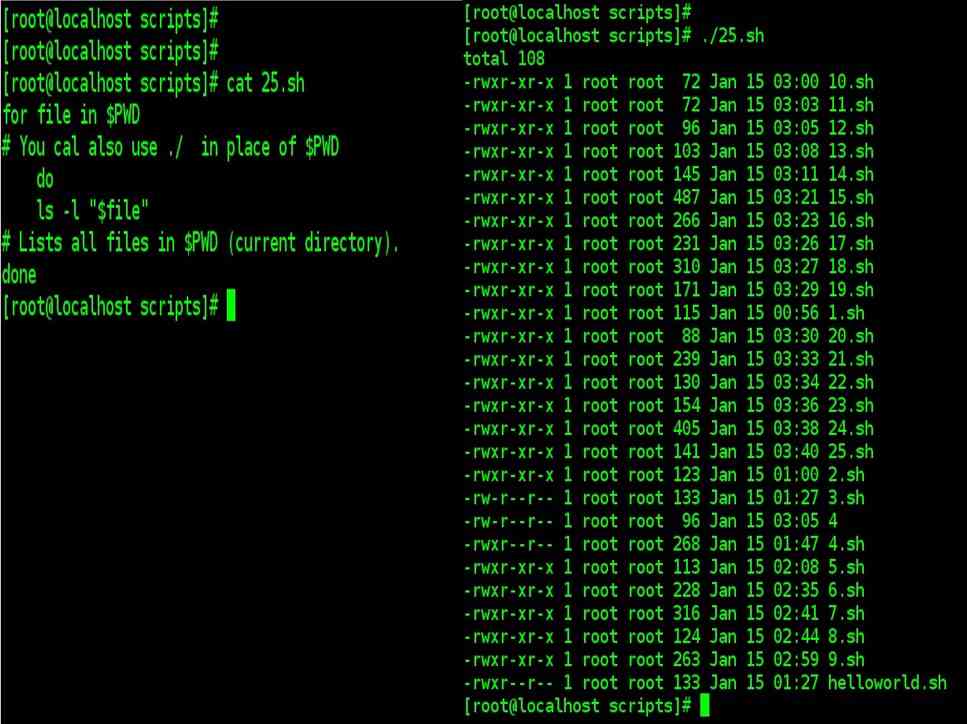
| for file in $PWD
# You cal also use ./ in place of $PWD do ls -l “$file” # Lists all files in $PWD (current directory). Done |
| Generating the [list] in a for loop with command substitution |
| Script |
| NUMBERS=”9 7 3 8 37.53“
for number in `echo $NUMBERS` # for number in 9 7 3 8 37.53 do echo -n “$number “ done
|
![Generating the [list] in a for loop with command substitution bash script](https://pythonbaba.com/wp-content/uploads/2020/01/127.jpg)
seq command
| seq command | |
| seq is a utility for generating a sequence of numbers. | |
| seq [OPTION]… LAST | |
| Command Usage | Output |
| seq 10 | 1
2 3 4 5 7 8 9 10 |
| seq [OPTION]… FIRST LAST | |
| Command Usage | Output |
| seq 1 5 | 1
2 3 4 5 |
| seq | |
| seq [OPTION]… FIRST INCREMENT LAST | |
| Command Usage | Output |
| seq 1 2 10 | 1
3 5 7 9 |
Multiple ways of sequencing using for loop (including C style also)
| Multiple ways to count up to 10 (including C style also) | |
| #!/bin/bash
# Multiple ways to count up to 10. # Standard syntax. for a in 1 2 3 4 5 6 7 8 9 10 do echo -n “$a ” done echo |
#!/bin/bash
# Using “seq” … for a in `seq 10` do echo -n “$a” done |
| #!/bin/bash
# Using ellipsis for a in {1..10} do echo -n “$a” done |
#!/bin/bash
# Now, let’s do the same, using C-like syntax. LIMIT=10 for ((a=1; a <= LIMIT ; a++)) do echo -n “$a “ done |
| Note: Output Of all the above scripts are integer values printed from 1 to 10 on the terminal | |