
Arrays in Bash Scripting
Basics of Array
| Arrays |
| Bash support one-dimensional arrays where the first element has index 0. |
| Declaring an array and assigning values |
month_array=(0 31 29 31 30 31 30 31 31 30 31 30 31)
|
| Using declare command |
declare –a arrayname=(element1 element2 element3)
|
declare –a new_month_array=(0 31 29 31 30 31 30 31 31 30 31 30 31)
If the element has the white space character, enclose it within quotes. declare -a mylinux=('Debian' 'Red hat' 'Red hat' 'Suse' 'Fedora');
|
In bash, an array is created automatically when a variable is used in the format like
name[index]=value
name is any name for an array. index could be any number or expression that must evaluate to a number greater than or equal to zero. |
To access an element from an array use curly brackets like ${name[index]}.
prompt[2]=“Enter your name : ”

echo ${prompt[2]}
Enter your name : |
Print the Whole Bash Array
| Print the Whole Bash Array |
There are different ways to print the whole elements of the array. If the index number is @ or * ,all members of an array are referenced.
echo $(month_array[@]}
0 31 29 31 30 31 30 31 31 30 31 30 31 Note: Referring to the content of a member variable of an array without providing an index number is the same as referring to the content of the first element, the one referenced with index number zero. |
| Length of the Bash Array |
| We can get the length of an array using the special parameter called $#
${#arrayname[@]} gives you the length of the array. echo $(#month_array[@]}
13 |
cat arraymanip.sh

declare -a Unix=('Debian' 'Red hat' 'Suse' 'Fedora');

echo ${#mylinux[@]} #Number of elements in the array

echo ${#mylinux}       #Number of characters in the first element of the array i.e Debian $./arraymanip.sh
4 6 |

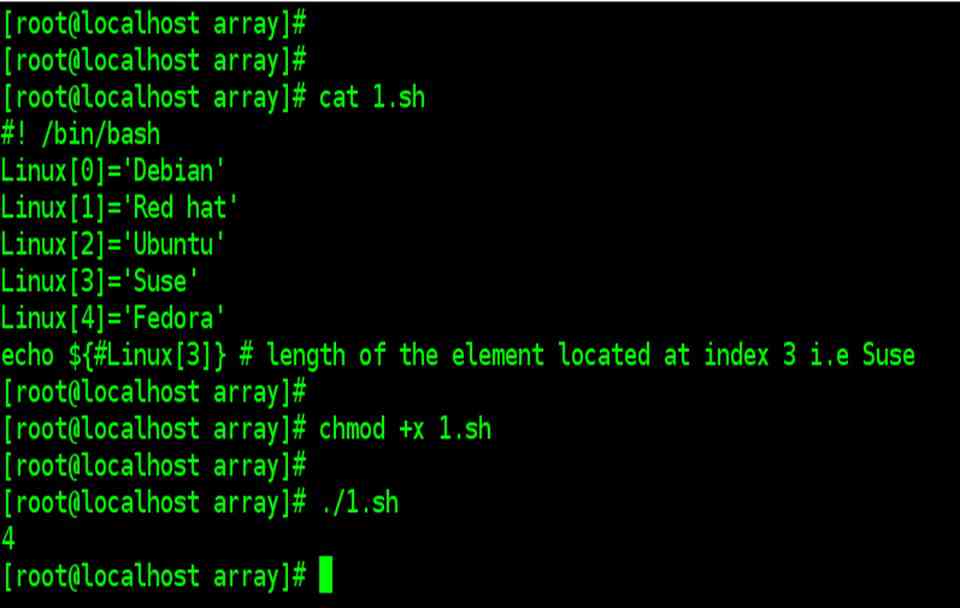
Length of the nth Element in an Array
| Length of the nth Element in an Array |
${#arrayname[n]}

#should give the length of the nth element in an array.
|
Extraction by offset and length for an array
| Extraction by offset and length for an array |
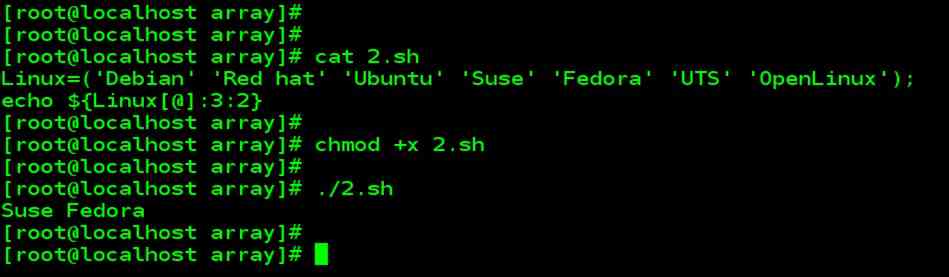
The following example shows the way to extract 2 elements starting from position 3 from an array called Unix.
cat 2.sh

Linux=('Debian' 'Red hat' 'Ubuntu' 'Suse' 'Fedora' 'UTS' 'OpenLinux');

echo ${Linux[@]:3:2}
$./2.sh Suse Fedora The above example returns the elements in the 3rd index and fourth index. The index always starts with zero.
|
Extraction with offset and length, for a particular element of an array
| Extraction with offset and length, for a particular element of an array |
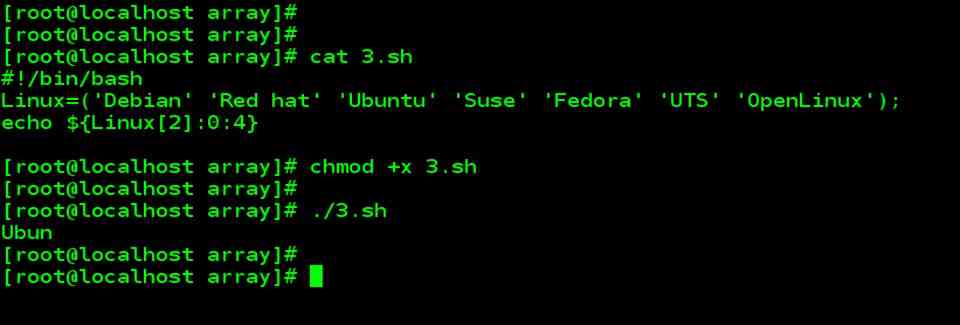
To extract only the first four elements from an array element. For example, Ubuntu which is located at the second index of an array, you can use offset and length for a particular element of an array.
cat 3.sh

#!/bin/bash Linux=('Debian' 'Red hat' 'Ubuntu' 'Suse' 'Fedora' 'UTS' 'OpenLinux');

echo ${Unix[2]:0:4}
./3.sh Ubun The above example extracts the first four characters from the 2nd indexed element of an array.
|
Search and Replace in an array of elements
| Search and Replace in an array of elements |
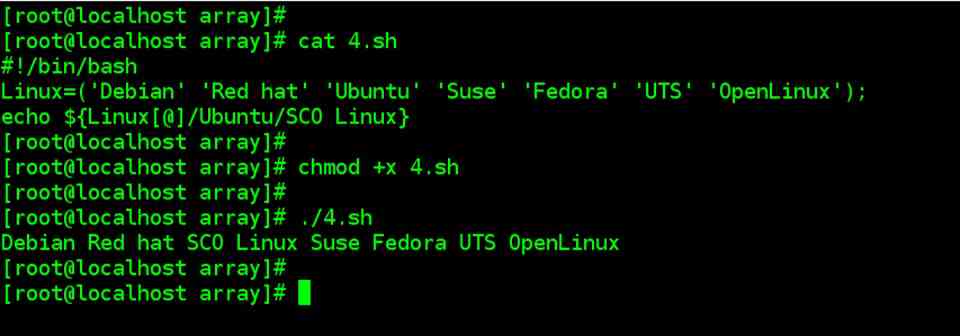
The following example searches for Ubuntu in an array element, and replace the same with the word ‘SCO Unix’.
cat 4.sh

#!/bin/bash Linux=('Debian' 'Red hat' 'Ubuntu' 'Suse' 'Fedora' 'UTS' 'OpenLinux');

echo ${Unix[@]/Ubuntu/SCO Linux}
./4.sh Debian Red hat SCO Linux Suse Fedora UTS OpenLinux In this example, it replaces the element in the 2nd index ‘Ubuntu’ with ‘SCO Unix’. But this example will not permanently replace the array content.
|
Add an element to an existing Bash Array
| Add an element to an existing Bash Array |
The following example shows the way to add an element to the existing array.
cat 5.sh

Linux=('Debian' 'Red hat' 'Ubuntu' 'Suse' 'Fedora' 'UTS' 'OpenLinux');

Linux=("${Unix[@]}" "AIX" "HP-UX")

echo ${Linux[7]}
./5.sh AIX 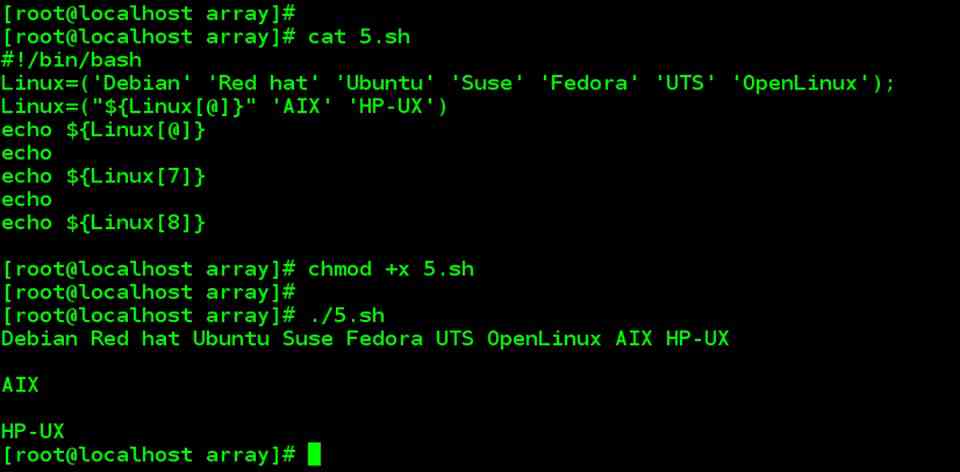
|
Remove an Element from an Array
| Remove an Element from an Array |
unset is used to remove an element from an array.unset will have the same effect as assigning null to an array element.
cat 6.sh

#!/bin/bash

Linux=('Debian' 'Red hat' 'Ubuntu' 'Suse' 'Fedora' 'UTS' 'OpenLinux');

unset Linux[3]

echo ${Linux[3]}
./6.sh |
| The above script will just print null which is the value available in the 3rd index.
|
| To remove an element permanently from an array. |
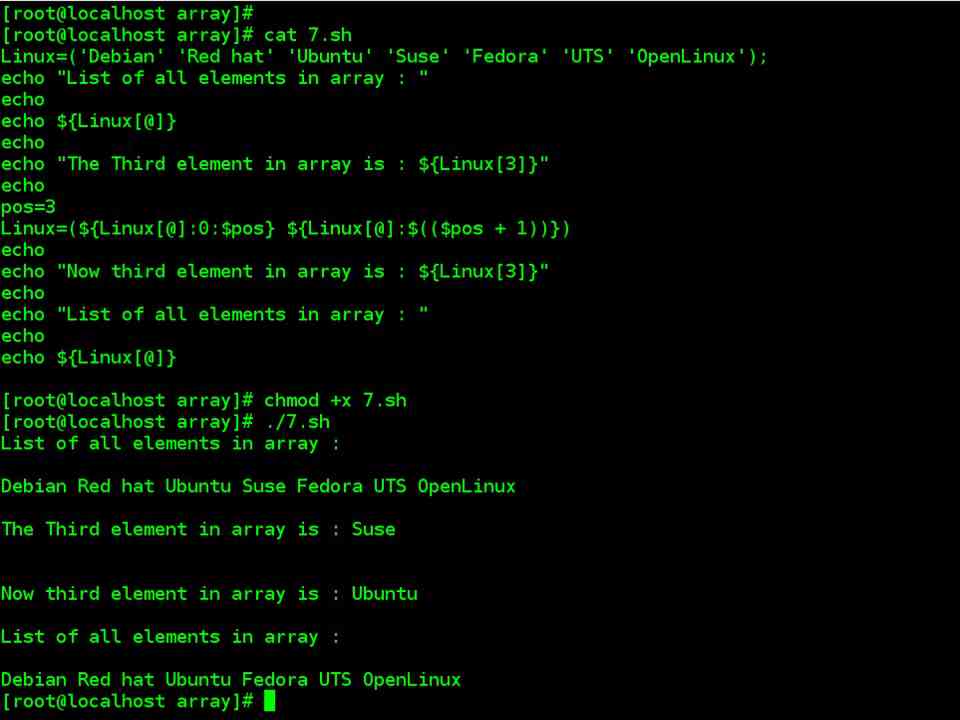
cat 7.sh

Linux=('Debian' 'Red hat' 'Ubuntu' 'Suse' 'Fedora' 'UTS' 'OpenLinux');

pos=3

Linux=(${Linux[@]:0:$pos} ${Linux[@]:$(($pos + 1))})

echo ${Linux[@]}
./7.sh Debian Red hat Ubuntu Fedora UTS OpenLinux |
In this example, ${Unix[@]:0:$pos} will give you 3 elements starting from 0th index i.e 0,1,2 and ${Unix[@]:4} will give the elements from 4th index to the last index. And merge both the above output. This is one of the workarounds to remove an element from an array.
|

Remove Bash Array Elements using Patterns
| Remove Bash Array Elements using Patterns |
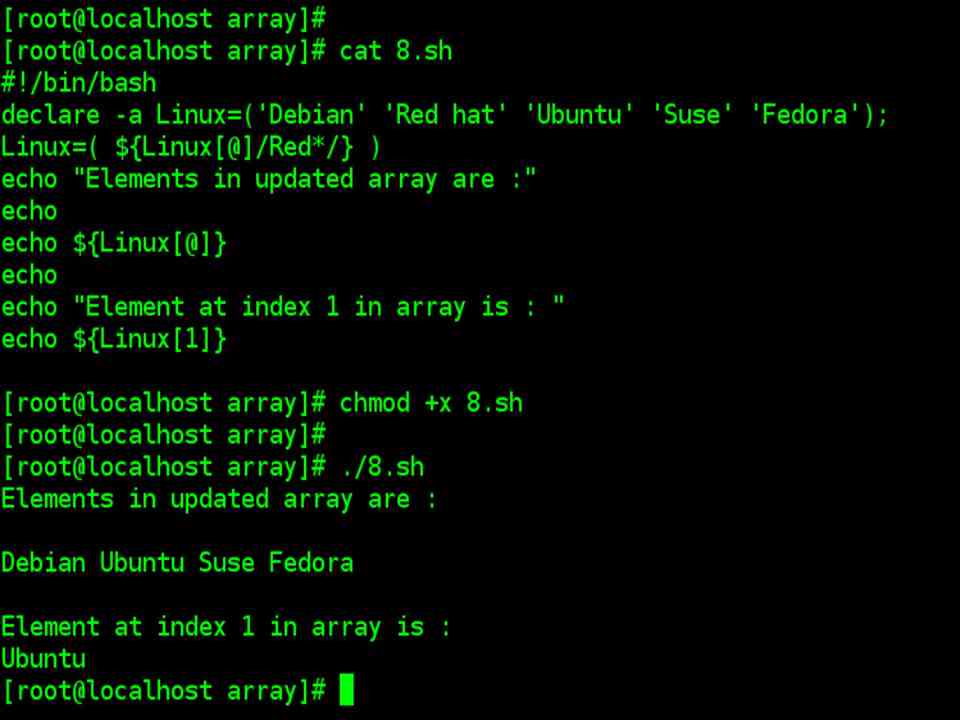
In the search condition, you can give the patterns, and stores the remaining element to another array as shown below.
cat 8.sh

#!/bin/bash

declare -a Linux=('Debian' 'Red hat' 'Ubuntu' 'Suse' 'Fedora');

Linux=( ${Linux[@]/Red*/} )

echo ${Linux[@]}
./8.sh Debian Ubuntu Suse Fedora The above example removes the elements which have the pattern Red*.
|
Copying an Array
| Copying an Array |
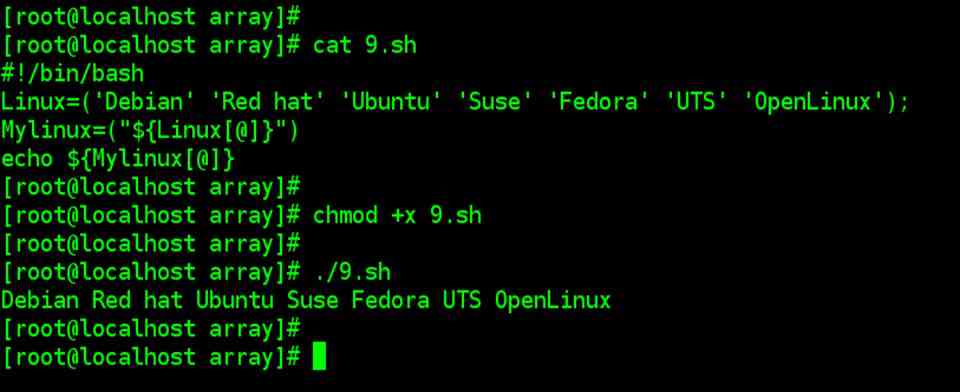
Expand the array elements and store that into a new array as shown below.
cat 9.sh

#!/bin/bash

Linux=('Debian' 'Red hat' 'Ubuntu' 'Suse' 'Fedora' 'UTS' 'OpenLinux');

Mylinux=("${Linux[@]}")

echo ${Mylinux[@]}
./9.sh Debian Red hat Ubuntu Fedora UTS OpenLinux
|
Concatenation of two Bash Arrays
| Concatenation of two Bash Arrays |
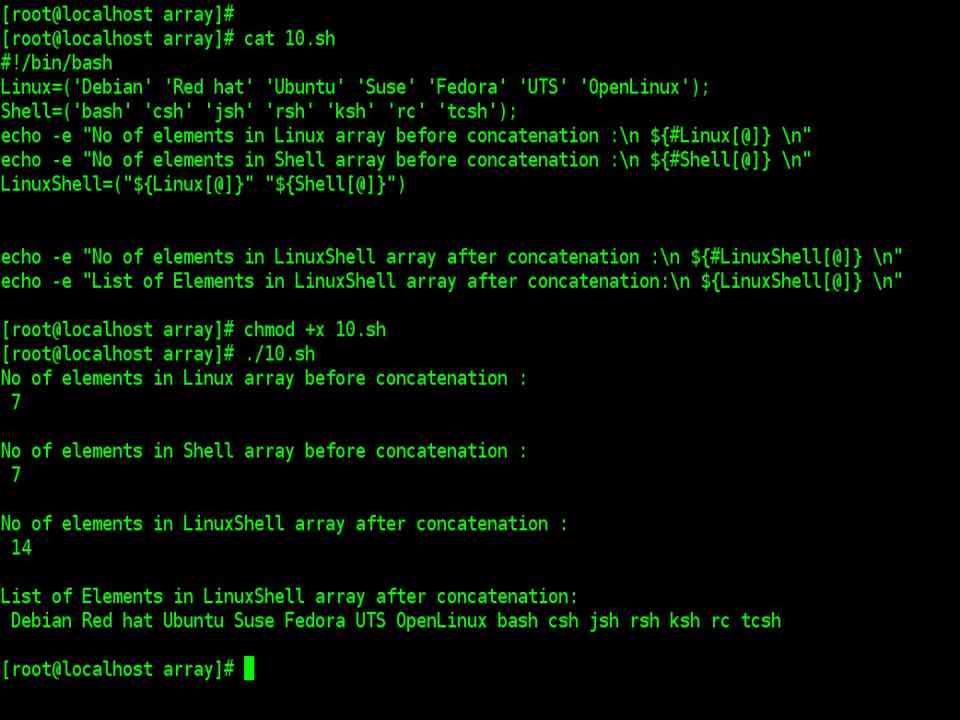
Expand the elements of the two arrays and assign it to the new array.
cat 10.sh

 #!/bin/bash

Linux=('Debian' 'Red hat' 'Ubuntu' 'Suse' 'Fedora' 'UTS' 'OpenLinux');

Shell=('bash' 'csh' 'jsh' 'rsh' 'ksh' 'rc' 'tcsh');

LinuxShell=("${Linux[@]}" "${Shell[@]}")

echo ${LinuxShell[@]}

echo ${#LinuxShell[@]}
./10.sh Debian Red hat Ubuntu Suse Fedora UTS OpenLinux bash csh jsh rsh ksh rc tcsh 14 |
| It prints the array which has the elements of both the array ‘Linux’ and ‘Shell’, and a number of elements of the new array is 14.
|
Deleting an Entire Array
| Deleting an Entire Array |
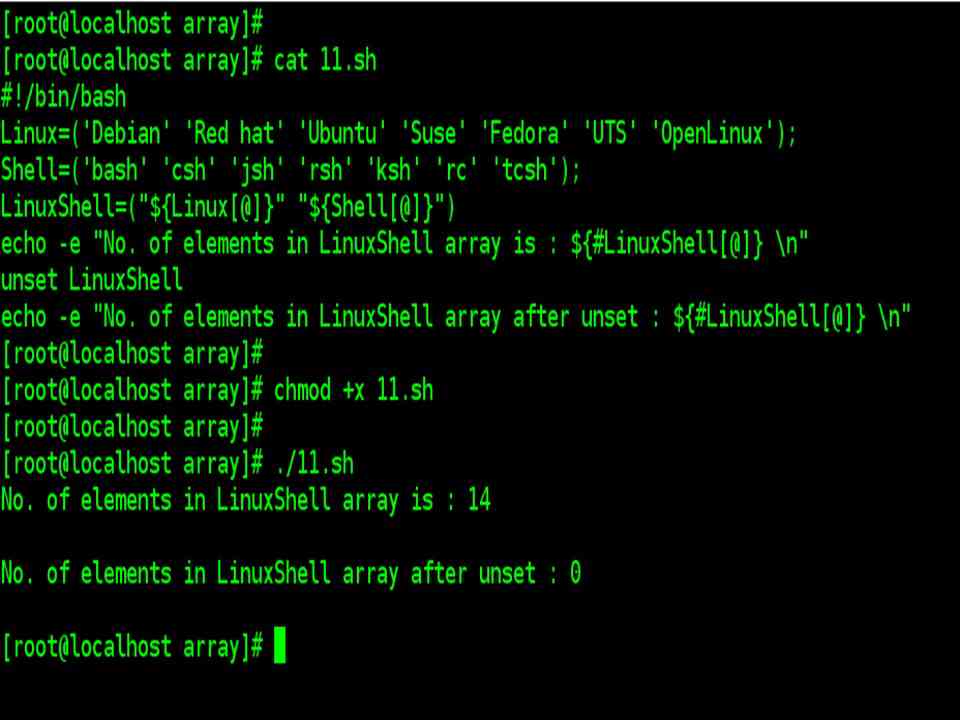
unset is used to delete an entire array.
cat 11.sh

#!/bin/bash

Linux=('Debian' 'Red hat' 'Ubuntu' 'Suse' 'Fedora' 'UTS' 'OpenLinux');

Shell=('bash' 'csh' 'jsh' 'rsh' 'ksh' 'rc' 'tcsh');

LinuxShell=("${Linux[@]}" "${Shell[@]}")

unset LinuxShell

echo ${#LinuxShell[@]}
./11.sh 0 After unsetting an array, its length would be zero as shown above.
|
Load Content of a File into an Array
| Load Content of a File into an Array |
Load Content of a File into an Array.
cat logfile
Welcome

to

Programmingcourse

Linux

Unix
cat  12.sh

#!/bin/bash

filecontent=( `cat logfile `)

for t in "${filecontent[@]}"

do

echo $t

done

echo "Reading file content!"
./12.sh Welcome to thegeekstuff Linux Unix Read file content! |
In the above example, each index of an array element has printed through for loop.

|

