
OPERATORS: Bash Arithmetic Operators
Arithmetic Operators
| Arithmetic Operators | |
| Operator Symbol | Meaning |
| + | Addition |
| – | Subtraction |
| * | Multiplication |
| / | Division |
| % | Mod Operator |
| ** | Exponent Operator |
Arithmetic evaluation using let command
| Arithmetic evaluation using let command |
| The let statement can be used to do mathematical functions: |
| let X=10+2*7
echo $X 24 let Y=X+2*4 echo $Y 32 |
| An arithmetic expression can be evaluated by $[expression] or $((expression)) |
| echo “$((123+20))”
143 VALORE=$[123+20] echo “$[123*$VALORE]” 17589 |
Example of arithmetic evaluation – 1
| Another example of arithmetic evaluation |
| #!/bin/bash
x=10 y=5 let sum=$x+$y diff=$(($x – $y)) let mul=$x*$y let div=$x/$y let mod=$x%$y let exp=$x**$y echo “$x + $y = $sum” echo “$x – $y = $diff” echo “$x * $y = $mul” echo “$x / $y = $div” echo “$x ** $y = $exp“ exit |

Example of arithmetic evaluation – 2
| Another example of arithmetic evaluation |
| #!/bin/bash
echo -n “Enter the first number: ”; read x echo -n “Enter the second number: ”; read y add=$(($x + $y)) sub=$(($x – $y)) mul=$(($x * $y)) div=$(($x / $y)) mod=$(($x % $y)) # print out the answers: echo “Sum: $add” echo “Difference: $sub” echo “Product: $mul” echo “Quotient: $div” echo “Remainder: $mod” |

Declaring variable
| Declaring variable |
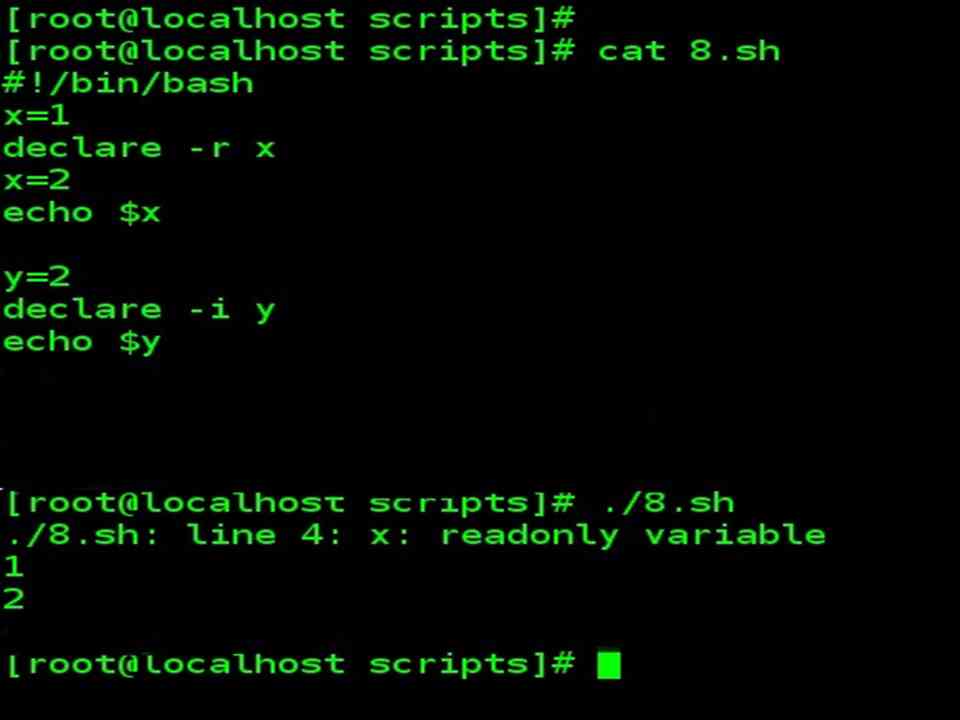
| We can declare variables in bash, providing some form of typing.
For example, we can declare a constant variable (cannot be changed after definition) or declare an integer or even a variable whose scope will extend beyond the script. |
| Example |
| x=1
declare -r x x=2 –bash: x: readonly variable echo $x 1 y=2 declare –i y echo $y 2 |
Passing arguments with a script
| Passing arguments with a script |
|
| Example |
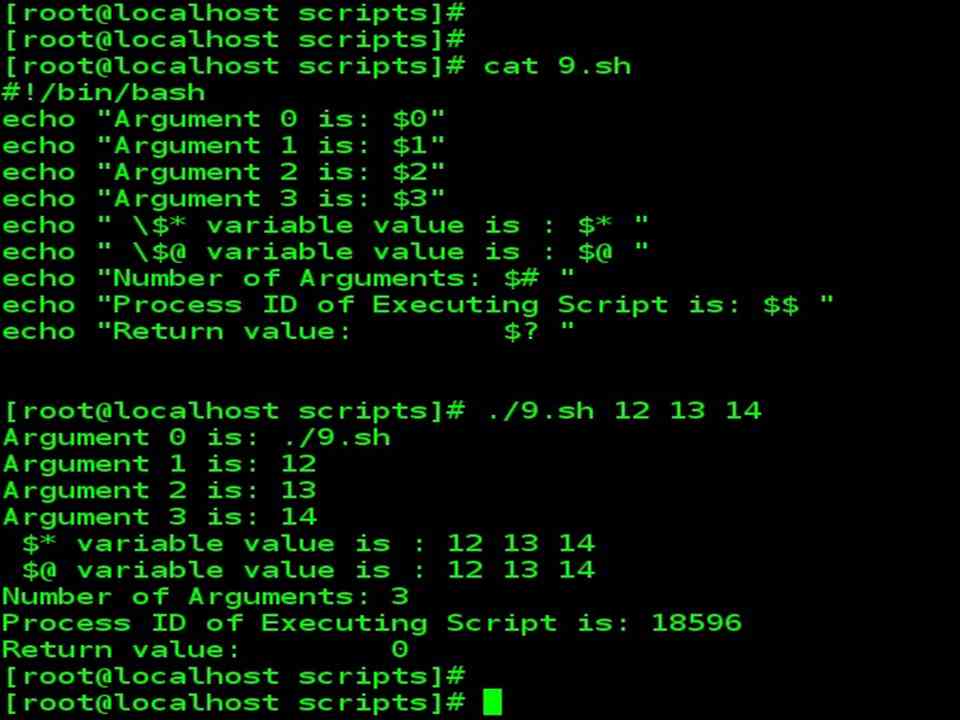
| While executing script pass the argument
./script Epictetus Socrates Marcus $0 is assigned ./script $1 is assigned Epictetus $2 is assigned Socrates $3 is assigned Marcus |
Built-in shell parameter with special meanings
| Several built-in shell parameter that has special meanings: | |
| Variable Name | Meaning |
| $* | $* is the list of arguments passed to the current process.
All arguments as a single word. |
| $@ | $@ is the list of arguments passed to the current process. Excluding script name ie., parameter $0 |
| $# | $# is the number of arguments in $*. |
| $0, $1, $2, … | Arguments |
| $$ | $$ variable will hold your current process ID (of shell)
Actually $$ is a shell parameter and not a variable, you cannot assign a value to it. |
| $PPID (Not a shell parameter ..) | $PPID contains the parent PID. |
| $? | $? is the return value of the last executed command. |
| Note : $* $$ , $# , $? , $0, $1, $2… are shell parameter and not a variable, you cannot assign a value to it. | |
$$ $PPID $?

