BASH SHELL BUILT-IN & EXTERNAL COMMANDS
INTERNAL AND EXTERNAL COMMANDS
| We can classify all of the Linux commands into two types – Internal And External.
|
| Internal commands are the shell built-in commands.
Commands like pwd, cd, echo comes under the category of the internal commands |
| External commands are files present in the $PATH. (Remember we treat everything in the Linux as a file).
Commands ls, cp, etc.. comes in the external category. |
To check whether the command is internal or external we will use the type utility (type itself is internal one).
type cd
cd is a shell builtin

type type
type is a shell builtin

type cp
cp is /bin/cp
• If you got a message like “cd is a shell builtin” after the execution of the command it is an internal command. • If you got something else it comes under the category of external commands (like cp in this case). |
HOW EXECUTION OF COMMANDS TAKE PLACE
| Internal Commands
•Internal commands don’t need files for their execution. The set of internal commands is stored in a shell by default. |
| External Commands
• For the external commands, execution is possible, if the command file is present in the locations mentioned in the $PATH. • If the command file is available, but the path to that file is not included in the PATH variable, it will show you an error. • To execute the external file as a command that is not included in the PATH variable : Use the ABSOLUTE PATH or RELATIVE PATH |
| ABSOLUTE PATH: To give the complete pathname of the file |
| RELATIVE PATH: Executing using dot “.”
./external-executable-file |
| Ambiguity
•Sometimes a command with the same name exists in both the categories. •Example – echo (external one lies in the /bin/echo). •In this case, the shell will give preference to the internal echo command first. |
Explanation of executing external commands using Absolute & Relative Path

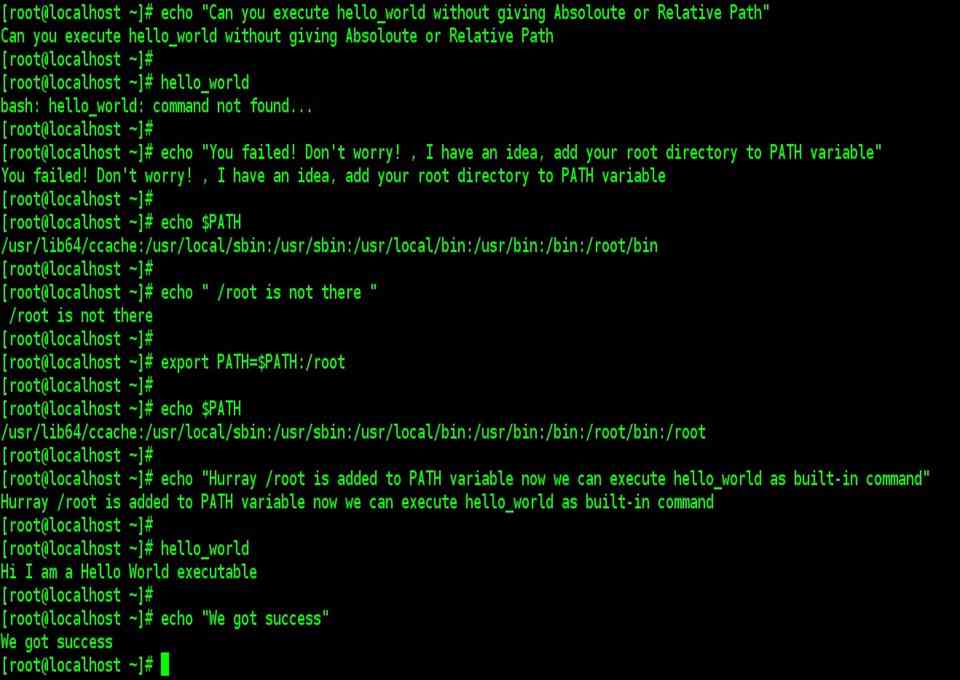
Explanation of executing external commands as a built-in command using PATH Variable