Bash Conditional Structures: CASE Construct
IF – THEN construct in Bash
| IF – THEN | |
| In Bash, we have the following conditional statements:
1. if..then..fi statement (Simple If) 2. if..then..else..fi statement (If-Else) 3. if..elif..else..fi statement (Else If ladder) 4. if..then..else..if..then..fi..fi..(Nested if) |
|
| if conditional expression
then statement1 statement2 … fi |
if conditional expression
then statement1 statement2 … else statement1 statement2 … fi |
| IF – THEN | |
| In Bash, we have the following conditional statements:
1. if..then..fi statement (Simple If) 2. if..then..else..fi statement (If-Else) 3. if..elif..else..fi statement (Else If ladder) 4. if..then..else..if..then..fi..fi..(Nested if) |
|
| if conditional expression
then statement1 statement2 … elif conditional expression then statement3 statement4 … else statement5 statement6 … fi |
if conditional expression
then statement1 statement2 … else if conditional expression then statement3 statement4 … fi fi |
Conditional expression in Bash Script
| Conditional expression in Bash Script |
| A conditional expression is one that evaluates to true or false depending on its operands and operators.
A conditional expression is represented by [[expression]] An expression can contain string comparison operators, numeric comparison operators, file operators, logical operators and operands. An expression enclosed with in square brackets [[ ]] , tests whether the expression value is true or false. And returns that value. There are other options in bash shell to return the truth value of the expression. test expression [ expression ] |
| Note: We will proceed with [[ expression ]] because this is the bash’s own variant for
conditional expression. |
Bash Integer comparison operator
| Integer comparison operator | |||
| Operator | Description | ||
| –eq | Is equal to | ||
| -ne | Is not equal to | ||
| –gt | Is greater than | ||
| –ge | Is greater than or equal to | ||
| –lt | Is less than | ||
| -le | Is less than or equal to | ||
| Example | |||
| Script | Output | Remarks | |
| #!/bin/bash
a=1 b=2 if [[ $a –eq $b ]] then echo “Output is equal” else echo “Output is not equal” fi |
Output is not equal | ||

using if else fi construct
| Example | ||
| Script | Output | Remarks |
| #!/bin/bash
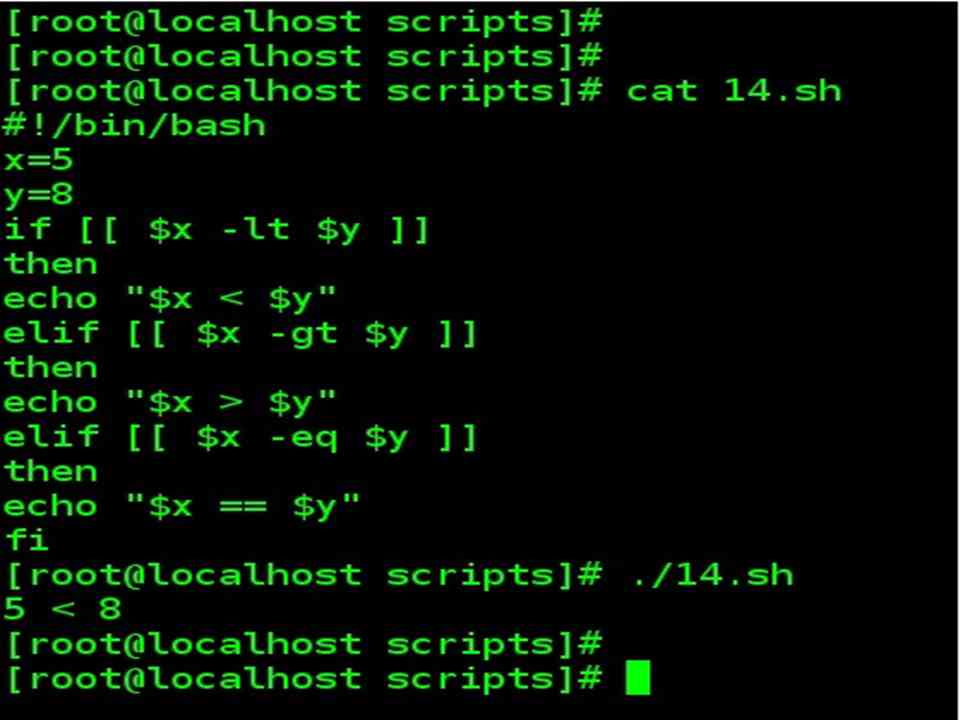
x=5 y=8 if [[ $x –lt $y ]] then echo “$x < $y” elif [[ $x –gt $y ]] then echo “$x > $y” elif [[ $x –eq $y ]] then echo “$x == $y” fi |
Note :
In this example, we test the integers for using the -lt operator (less-than), -gt (greater-than), and finally -eq (equality). |
|
Bash String comparison operator
| String comparison operator | |||
| Operator | Description | ||
| = | is equal to | ||
| == | is equal to | ||
| != | is not equal to | ||
| < | is alphabetically less than | ||
| > | is alphabetically greater than | ||
| -z | is null | ||
| -n | is not null | ||
| Script | Output | Remarks | |
| #!/bin/bash
str=”ernie” if [[ $str = “Ernie” ]] then echo “It’s Ernie” fi if [[ “$str” == “Ernie” ]]; then echo “It’s Ernie”; fi |
Note : Two statements are either separated by next line or semicolon | ||

Bash File Test operator
| File Test operator | |
| Operator | Description |
| -e | Test for file existence |
| -f | Test for regular file |
| -s | Test for file with nonzero size |
| -d | Test for directory |
| -h | Test for symbolic link |
| -r | Test for file read permission |
| -w | Test for file write permission |
| -x | Test for file execute permission |
| –nt | File is newer than |
| –ot | File is older than |
| Note: This is not a complete list of File Test operators. | |
| Example | ||
| Script | Output | Remarks |
| #!/bin/sh
thefile=”test.sh” if [[-e $thefile ]] then echo “File Exists” if [[-f $thefile ]] then echo “regular file” elif [[ -d $thefile ]] then echo “directory” elif [[ -h $thefile ]] then echo “symbolic link” fi else echo “File not present” fi Exit |
Once we identify that the file exists using the -e operator (returns true of the file exists).
We continue to test the attributes of the file. Then we check that we are dealing with a regular file (-f) or not, in other words a real file as compared to a directory, a symbolic link, and so forth. The file tests continue with a directory test (-d option) and finally a symbolic link test with (-h) option. |
|

| Example | |||
| Script | Output | Remarks | |
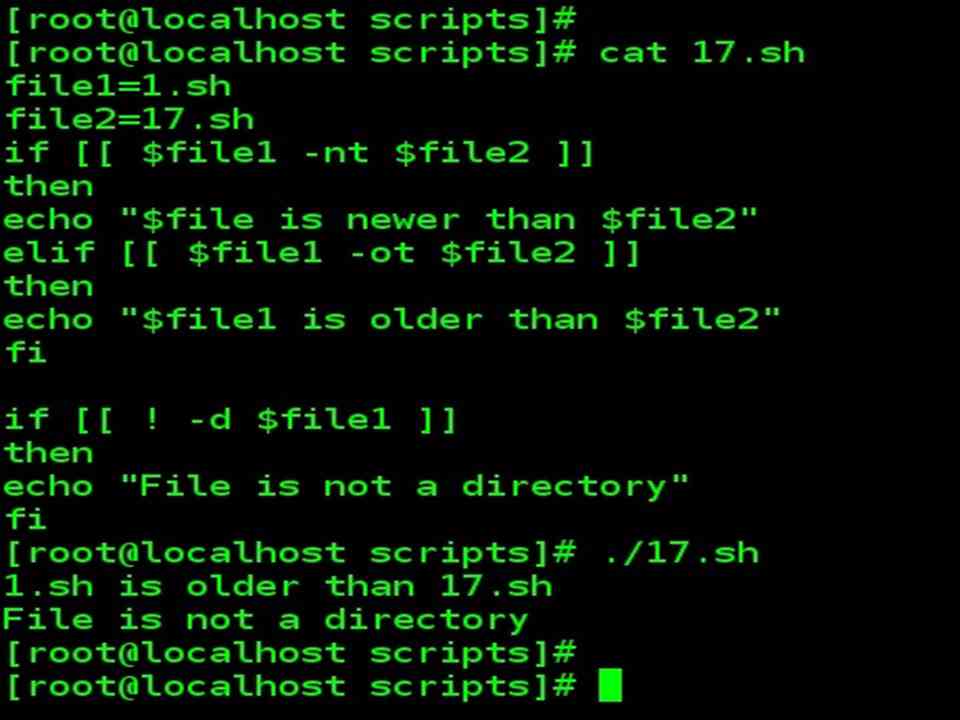
| if [[ $file1 –nt $file2 ]]
then echo “$file is newer than $file2“ elif [[ $file1 –ot $file2 ]] then echo “$file1 is older than $file2” fi |
Note :
The file test operator -nt tests whether the first file is newer than the second file, while -ot tests whether the first file is older than the second file. |
||
| If we’re more interested on the reverse of a test, for example, whether a file is not a directory, then the ! operator can be used. | |||
| Script | Output | Remarks | |
| if [[! -d $file1 ]]
then echo “File is not a directory” fi |
|||
| One special case to note is when you have a single command to perform based upon the success of a given test construct. | |||
| [[ -r myfile.txt ]] && echo “the file is readable.” | |||
| The logical AND operator between the test and command ensures that only if the initial test construct is true will the command that follows be performed. | |||